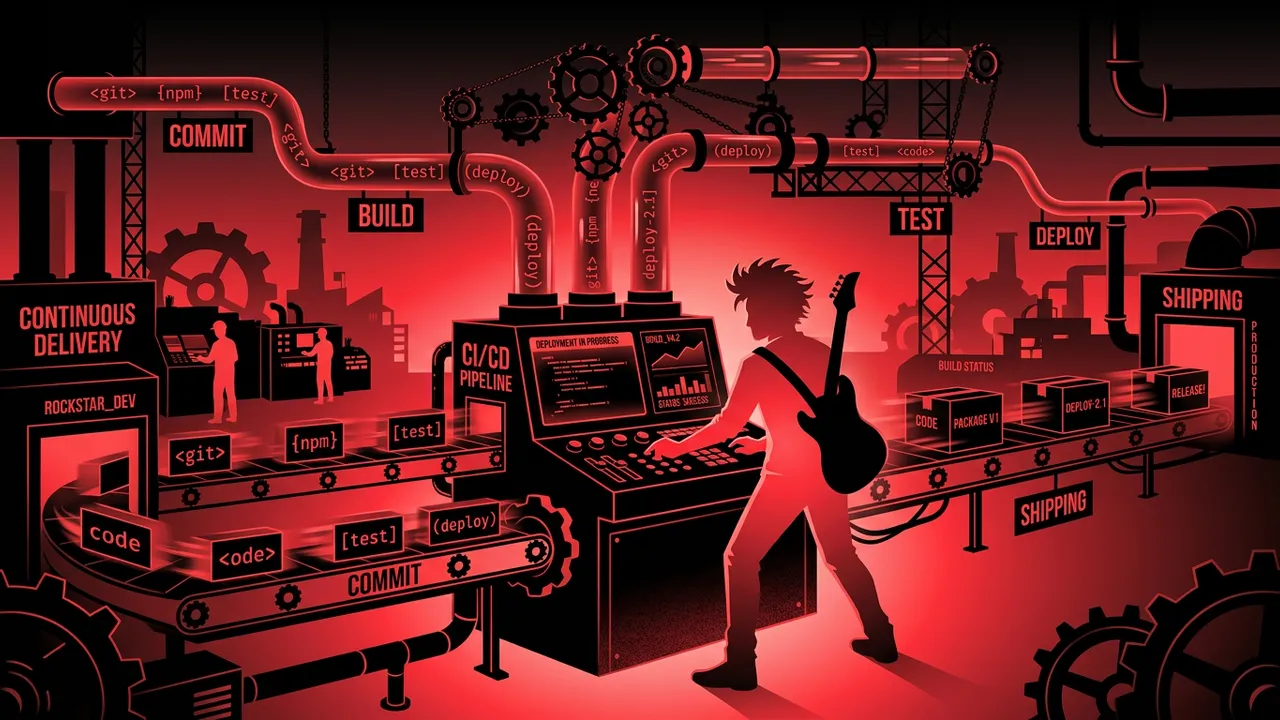
Let me tell you something that most developers learn the hard way: your CI/CD pipeline is the single most important piece of infrastructure you will ever set up. More important than your framework choice. More important than your database. More important than whether you use tabs or spaces.
Why? Because a great CI/CD pipeline is the difference between shipping code five times a day with confidence and spending your Friday night manually deploying a hotfix while your spouse gives you that look.
I have been building software for over two decades. I have watched CI/CD go from a luxury that only big companies could afford to something every solo developer should have running from day one. The tools have gotten so good that there is zero excuse not to automate your build, test, and deploy process.
But here is the problem: there are too many options. And most comparison articles are written by people who have never actually shipped production code with these tools. They just read the feature pages and regurgitate bullet points.
Not this list. I have personally used every single tool on here in real projects. I am going to tell you exactly what each one is good at, where it falls short, and who should actually use it. No fluff. No corporate speak. Just honest opinions from someone who has broken enough builds to know what matters.
1. 1. GitHub Actions: Best Overall for Most Developers
If your code lives on GitHub, this is the default answer. And honestly, it should be the default answer for most developers reading this, period.
GitHub Actions changed the game when it launched because it eliminated the biggest friction point in CI/CD: setting up a separate service. Your code is already on GitHub. Your pull requests are on GitHub. Your issues are on GitHub. Why would you want your CI/CD pipeline living somewhere else?
The workflow syntax is YAML-based and dead simple to get started with. You can have a working CI pipeline in under 10 minutes. The marketplace has thousands of pre-built actions for everything from running tests to deploying to AWS to sending Slack notifications. And the free tier is genuinely generous: 2,000 minutes per month for private repos and unlimited minutes for public repos.
Where it gets tricky is at scale. Per-minute pricing can sneak up on you if you have long-running builds or a large team. And while the marketplace is huge, quality varies wildly. Some community actions are rock solid, others have not been updated in two years.
But for the vast majority of developers and small to mid-size teams, GitHub Actions is the right choice. It is the tool I recommend first, and it is the one I use for most of my own projects.
Pricing: Free tier with 2,000 minutes/month. Paid plans start at $0.008/minute for Linux runners.
Best for: Any developer or team using GitHub for version control.
2. 2. GitLab CI/CD: Best All-in-One DevOps Platform
GitLab took a completely different approach than GitHub. Instead of being a code hosting platform that added CI/CD, GitLab built an entire DevOps platform where CI/CD is a first-class citizen baked into everything.
The result is the most comprehensive built-in CI/CD experience you will find anywhere. Your pipeline configuration lives in a single .gitlab-ci.yml file right in your repo. You get built-in container registry, security scanning, code review, issue tracking, and deployment environments all under one roof. No plugins. No marketplace. It just works.
The Auto DevOps feature is particularly impressive. Point GitLab at your project and it will automatically detect your language, set up a build pipeline, run security scans, and deploy to Kubernetes. For teams that want to move fast without spending weeks configuring their pipeline, this is hard to beat.
The downside? GitLab can feel heavy. If all you want is simple CI/CD, the platform can be overwhelming. The learning curve is moderate because there is just so much functionality packed in. And the per-user pricing on higher tiers gets expensive fast for large teams.
If you want one tool to rule them all and you are willing to go all-in on the GitLab ecosystem, this is a fantastic choice. If you just need CI/CD and nothing else, it might be overkill.
Pricing: Free tier available. Premium starts at $29/user/month.
Best for: Teams that want a unified DevOps platform without stitching together multiple tools.
3. 3. Jenkins: Best for Maximum Flexibility and Control
Jenkins is the grandfather of CI/CD tools, and like most grandfathers, it has strong opinions and a lot of experience to back them up.
Here is the honest truth about Jenkins: it is the most flexible CI/CD tool that exists. With over 1,800 plugins, you can make Jenkins do literally anything. Any language, any platform, any deployment target, any workflow. If you can imagine it, there is probably a Jenkins plugin for it.
The catch is that all of that flexibility comes at a cost: you are responsible for everything. Setting up Jenkins means provisioning servers, managing updates, configuring security, scaling build agents, and debugging plugin conflicts. It is a full-time job at scale. I have seen companies with entire teams dedicated to maintaining their Jenkins infrastructure.
The UI looks like it was designed in 2005, because it was. The Groovy-based pipeline syntax is powerful but quirky. And troubleshooting a broken Jenkins installation can make you question your career choices.
So why is it still on this list? Because for certain use cases, nothing else comes close. If you need to run builds on specialized hardware, integrate with legacy systems, or maintain complete control over your CI/CD infrastructure without any vendor lock-in, Jenkins is the answer. It is free, open source, and battle-tested at a scale most other tools have never seen.
Pricing: Free and open source. You pay for the infrastructure to run it.
Best for: Enterprise teams that need maximum customization and are willing to invest in maintenance.
4. 4. CircleCI: Best for Speed and Performance
If build speed is your top priority, CircleCI deserves serious consideration. They have built their entire platform around one core idea: your builds should be fast.
CircleCI offers some of the fastest build times in the industry. Their caching is intelligent, their parallelism features are excellent, and their resource classes let you throw more compute at your builds when you need it. I have seen teams cut their build times in half just by switching from another tool to CircleCI.
The configuration is YAML-based and lives in a .circleci/config.yml file. It supports both cloud-hosted and self-hosted runners. The orbs system (reusable configuration packages) is well-designed and saves a lot of boilerplate. And the insights dashboard gives you real data about your pipeline performance so you can identify bottlenecks.
The free tier gives you 6,000 build minutes per month, which is enough for most small teams. But costs can escalate quickly on larger projects because you are paying for compute time, and faster machines cost more.
CircleCI had a major security incident in early 2023 where they advised all customers to rotate their secrets. They handled it transparently, but it is worth knowing about. Since then, they have significantly invested in security infrastructure.
Pricing: Free tier with 6,000 minutes/month. Paid plans from $15/month.
Best for: Teams where build speed directly impacts developer productivity and shipping velocity.
5. 5. Azure DevOps Pipelines: Best for Microsoft Ecosystem Teams
If your stack is .NET, your cloud is Azure, and your company runs on Microsoft, Azure DevOps Pipelines is the obvious choice. And it is a surprisingly good one, even beyond the Microsoft ecosystem.
Azure Pipelines supports any language and any platform. You can build .NET apps on Windows, Node.js apps on Linux, and iOS apps on macOS, all in the same pipeline. The integration with Azure cloud services is seamless, and the YAML pipeline syntax is clean and well-documented.
What really sets Azure DevOps apart is the broader platform. You get boards for project management, repos for version control, test plans, and artifacts for package management. It is a complete development lifecycle tool, similar to GitLab but with deeper Microsoft integration.
The free tier is surprisingly generous: 1,800 minutes per month for private projects and unlimited minutes for public projects. For open source projects, Azure Pipelines offers 10 free parallel jobs, which is better than most competitors.
The downside is that the UI can be confusing. There are classic pipelines and YAML pipelines, and Microsoft still has not fully deprecated the old system. Documentation sometimes mixes the two, which creates confusion. And if you are not in the Microsoft ecosystem, some of the deeper integrations will not matter to you.
Pricing: Free tier with 1,800 minutes/month. Additional parallel jobs from $40/month.
Best for: Teams building on Microsoft technologies or deploying to Azure.
6. 6. Argo CD: Best for Kubernetes and GitOps
If you are running Kubernetes in production, you need to know about Argo CD. It is not a traditional CI/CD tool. It is a GitOps continuous delivery tool built specifically for Kubernetes, and it is the best at what it does.
The concept is simple and powerful: your Git repository is the single source of truth for what should be running in your cluster. Argo CD watches your repo, compares it to what is actually deployed, and automatically syncs any differences. You push a change to your Kubernetes manifests, and Argo CD makes it happen.
The visualization dashboard is excellent. You can see your entire application topology, the sync status of every resource, and the health of your deployments at a glance. Rollbacks are trivial because they are just Git reverts. And because everything is declarative, you get a complete audit trail of every change for free.
The limitation is scope. Argo CD handles the CD side of things. You still need a separate CI tool (like GitHub Actions or Jenkins) to build your containers and run your tests. It also has a learning curve if you are new to Kubernetes or GitOps concepts.
But if Kubernetes is your deployment target, Argo CD is not optional. It is the standard.
Pricing: Free and open source. CNCF graduated project.
Best for: Teams deploying to Kubernetes who want a GitOps workflow.
7. 7. TeamCity: Best for Enterprise Build Management
TeamCity is JetBrains' CI/CD offering, and like everything JetBrains makes, it is polished, powerful, and opinionated in all the right ways.
If you already use IntelliJ, PyCharm, or any other JetBrains IDE, TeamCity feels like home. The integration is deep. You can see build results directly in your IDE, trigger builds from your editor, and navigate from a failed test in the build log straight to the offending line of code.
TeamCity's build configuration is some of the best in the industry. The Kotlin DSL for pipeline-as-code is genuinely pleasant to work with, especially compared to YAML. Build chains let you create complex dependency graphs between projects. And the build history and statistics give you deep insight into trends over time.
The free tier gives you 3 build agents and 100 build configurations, which is enough for small teams to get serious work done. The cloud version launched relatively recently and removes the self-hosting burden.
The main drawback is mindshare. TeamCity does not have the community size of Jenkins or the marketplace of GitHub Actions. Finding examples, tutorials, and community support takes more effort. But the official documentation is thorough and JetBrains support is responsive.
Pricing: Free tier with 3 agents. Cloud pricing starts at $45/month per agent.
Best for: JetBrains ecosystem users and enterprises that value deep IDE integration.
8. 8. Travis CI: The Pioneer That Still Has a Place
Travis CI was the tool that showed an entire generation of developers what CI/CD could be. Back in the early 2010s, Travis made it dead simple to add continuous integration to your open source project. Add a .travis.yml file, connect your GitHub repo, and you had automated builds. It was revolutionary.
Travis CI still works well for straightforward projects. The configuration is minimal, the build matrix feature for testing across multiple language versions is excellent, and the platform handles most common build scenarios without much fuss.
But I need to be honest: Travis CI has lost significant ground. After the Idera acquisition in 2019, the free tier for open source was dramatically cut back. Many high-profile open source projects migrated away. The development pace has slowed compared to competitors.
That said, Travis CI is not dead. It still handles simple CI pipelines with minimal configuration. If you have a straightforward project and you value simplicity above all else, it gets the job done. But for new projects in 2026, I would recommend starting with GitHub Actions instead.
Pricing: Free for public repositories with limitations. Paid plans with custom pricing.
Best for: Existing users with established pipelines who see no reason to migrate.
9. 9. Dagger: Best for Portable, Debuggable Pipelines
Dagger is the newest tool on this list, and it solves a problem that has annoyed me for years: CI/CD pipelines that only work in CI/CD.
Think about it. You write a GitHub Actions workflow. It breaks. Now you have to push a commit, wait for the runner, read the logs, push another commit, wait again. It is the slowest debugging loop in all of software development. You cannot run your pipeline locally. You cannot step through it. You just push and pray.
Dagger fixes this by letting you define your pipelines in real programming languages like Go, Python, or TypeScript, and run them anywhere. On your laptop, in GitHub Actions, in GitLab CI, on any machine with Docker. Same pipeline, same results, everywhere.
The developer experience is outstanding. You can test your entire CI/CD pipeline locally before pushing. You can use your IDE's debugger. You can write real unit tests for your pipeline logic. It turns CI/CD from a black box into something you can actually develop and iterate on quickly.
Dagger is still relatively young, and the ecosystem is smaller than established tools. But the core idea is so compelling that I expect it to become a major player in the next few years. If you are starting a new project and you value developer experience, give Dagger a serious look.
Pricing: Free and open source. Dagger Cloud available for team features.
Best for: Developers who want to test and debug pipelines locally before pushing to CI.
10. 10. Buddy: Best Visual Pipeline Builder
Most CI/CD tools assume you are comfortable writing YAML. Buddy assumes you would rather not, and builds its entire experience around a visual pipeline editor.
You drag and drop actions to create your pipeline. Build, test, deploy, notify. Each action is a visual block that you configure through a UI. It is genuinely intuitive and you can have a working pipeline in minutes without writing a single line of configuration code.
Do not mistake the visual interface for a lack of power. Buddy supports Docker-based builds, can deploy to any cloud provider, handles multi-environment workflows, and has built-in support for popular frameworks. The execution speed is also competitive because Buddy uses dedicated containers with filesystem caching between runs.
The limitation is that Buddy is less flexible than code-first tools. Complex conditional logic, dynamic matrix builds, and highly custom workflows are harder to express in a visual builder. And the community is smaller, so finding help for edge cases requires more effort.
For freelancers, small agencies, or teams with less DevOps experience, Buddy removes the YAML barrier to entry and gets you shipping faster. That is a real and valuable thing.
Pricing: Plans start at $35/month. Free trial available.
Best for: Teams that prefer visual configuration over YAML and want fast setup.
11. How to Choose the Right CI/CD Tool
After using all of these tools, here is my framework for choosing:
Start with where your code lives. If it is on GitHub, start with GitHub Actions. If it is on GitLab, use GitLab CI/CD. Fighting your platform is never worth it.
Consider your team size and expertise. A solo developer does not need Jenkins. An enterprise team with complex requirements should not be limited by a visual builder. Match the tool's complexity to your team's capacity.
Think about lock-in. GitHub Actions workflows are tightly coupled to GitHub. Jenkins pipelines are portable but require infrastructure. Dagger pipelines run anywhere. How important is portability to you?
Factor in total cost. Jenkins is free, but the servers and the engineer maintaining them are not. GitHub Actions is cheap, until you have 50 developers running long builds. Always calculate the full cost including infrastructure and maintenance time.
Prioritize developer experience. The best CI/CD tool is the one your team actually uses correctly. If the configuration is painful, developers will cut corners. If the feedback is slow, they will skip tests. Choose a tool that makes doing the right thing easy.
12. Final Thoughts: Just Pick One and Ship
Here is the thing about CI/CD tools: having any of them is infinitely better than having none. I talk to developers all the time who are still manually deploying code because they cannot decide which CI/CD tool to use. That is insane.
If you are starting from scratch and your code is on GitHub, use GitHub Actions. Set it up today. It will take you 30 minutes to have automated testing and deployment running. You can always switch later if you outgrow it.
If you are in a larger organization with specific needs, use this list as a starting point. Try two or three tools with a small project. See which one clicks with your team. The right tool is the one that your developers actually enjoy using.
The CI/CD landscape in 2026 is mature and competitive. Every tool on this list is capable of handling production workloads. The differences are in developer experience, ecosystem integration, and operational overhead. Pick the one that fits your situation, set it up properly, and get back to writing code that actually matters.
Stop debating. Start shipping.