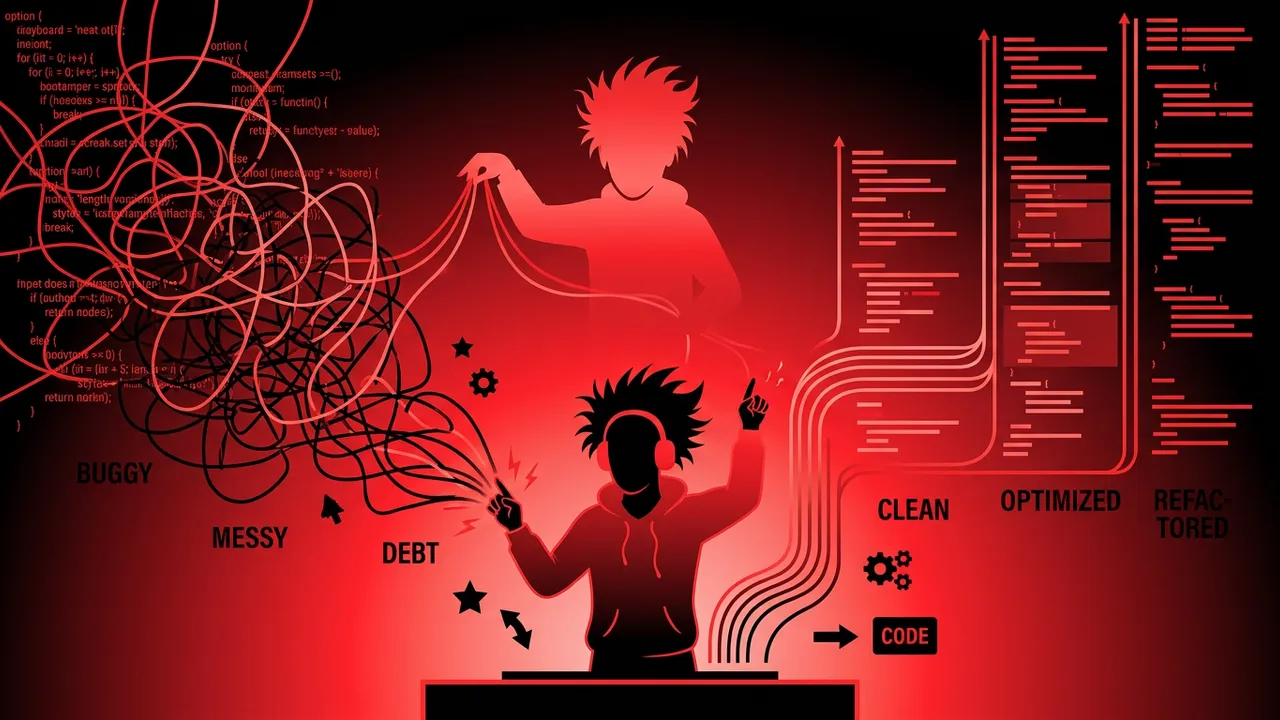
Every developer has inherited a codebase that made them want to quit on the spot. Functions stretching hundreds of lines. Variables named x, temp, and data2. Copy-pasted logic scattered across dozens of files. The temptation is always the same: burn it down and rewrite from scratch.
Don't do that.
Code refactoring is the disciplined practice of restructuring existing code without changing its external behavior. It's how professional developers turn chaos into clarity, one small transformation at a time. Martin Fowler, who literally wrote the book on refactoring, defines it as "a change made to the internal structure of software to make it easier to understand and cheaper to modify without changing its observable behavior."
The keyword there is without changing behavior. Refactoring isn't adding features. It isn't fixing bugs. It's improving the design of code that already works so that future changes become easier, faster, and less error-prone.
In this guide, you'll learn exactly when to refactor, how to spot code that needs it, the most effective refactoring techniques, and the best practices that separate clean refactoring from reckless code changes.
1. What Is Code Refactoring and Why Does It Matter?
Code refactoring is the process of improving code's internal structure while preserving its functionality. Think of it like renovating a house: the address stays the same, the rooms still serve the same purpose, but the plumbing works better, the wiring is up to code, and the layout makes more sense.
Here's why refactoring matters for your career and your team:
- Reduced technical debt: Every shortcut you take today becomes a tax on tomorrow's productivity. Refactoring pays down that debt before it compounds.
- Faster feature development: Clean code is easier to extend. Teams with well-maintained codebases ship features 2-3x faster than those drowning in spaghetti code.
- Fewer bugs: Simpler code has fewer places for bugs to hide. When functions do one thing and names are clear, defects become obvious.
- Easier onboarding: New team members can understand and contribute to clean code in days instead of weeks.
- Better code reviews: When code is well-structured, reviewers can focus on logic and design rather than deciphering what the code is trying to do.
A 2024 study by Stripe found that developers spend approximately 42% of their time dealing with technical debt and maintenance. Refactoring doesn't eliminate that entirely, but it's the single most effective way to reduce it.
2. When to Refactor Code: The Right Time and the Wrong Time
One of the biggest mistakes developers make is treating refactoring as a separate phase. "We'll refactor after we ship." That day never comes. The best developers refactor continuously, weaving it into their daily workflow.
The Rule of Three
Kent Beck's rule is simple: the first time you do something, just do it. The second time, wince at the duplication but do it anyway. The third time you find yourself writing the same pattern, stop and refactor.
When You Should Refactor
- Before adding a feature: If the existing code makes the new feature awkward to implement, refactor first. Martin Fowler calls this preparatory refactoring. It's like rearranging furniture before moving in a new couch.
- During code review: If a reviewer can't understand what the code does within a few minutes, that's a signal to refactor for clarity.
- When fixing a bug: If the bug exists because the code is confusing, fix the confusion first. Otherwise you'll be back here again.
- After tests pass: In test-driven development (TDD), the cycle is Red → Green → Refactor. You write the test, make it pass, then clean up.
- When you say "I'll just...": If you're about to hack in a quick fix because the real fix would require understanding too much code, that's your sign to refactor.
When You Should NOT Refactor
- Without tests: Refactoring without automated tests is like performing surgery without anesthesia. You might survive, but you'll feel every mistake.
- Right before a deadline: Refactoring introduces risk. Don't introduce risk when you can't afford the time to handle surprises.
- Code that's being replaced: If the system is scheduled for retirement or complete rewrite, don't polish what's going to the dumpster.
- For the sake of refactoring: If code works, is readable, and doesn't need to change, leave it alone. Refactoring working code you'll never touch again is procrastination disguised as productivity.
3. Code Smells: How to Recognize Code That Needs Refactoring
Code smells are surface-level indicators that something deeper is wrong. They're not bugs — the code works. But they signal structural problems that will cause pain later. Learning to recognize code smells is one of the most valuable skills a developer can build.
The Most Common Code Smells
1. Long Methods
Any function over 20-30 lines deserves scrutiny. Functions over 100 lines are almost always doing too many things. Long methods are hard to test, hard to name, and hard to reuse.
2. Duplicated Code
Copy-paste is the gateway drug of bad code. If you see the same logic in two or more places, it's a ticking time bomb. When the logic needs to change, you'll update one instance and forget the other.
3. Large Classes (God Objects)
A class with 2,000 lines and 40 methods is trying to do everything. It violates the Single Responsibility Principle and becomes a magnet for merge conflicts.
4. Long Parameter Lists
When a function takes 6+ parameters, it's usually a sign that those parameters should be grouped into an object or that the function is doing too much.
5. Feature Envy
A method that uses more data from another class than from its own class is in the wrong place. It "envies" the other class's features.
6. Primitive Obsession
Using raw strings, numbers, and booleans everywhere instead of creating meaningful types. An email address represented as a string can contain anything. An EmailAddress type enforces validity.
7. Shotgun Surgery
If a single conceptual change requires you to modify 10 different files, your abstractions are wrong. Related behavior is scattered instead of cohesive.
8. Dead Code
Functions nobody calls. Variables assigned but never read. Commented-out blocks of code "just in case." Dead code is noise that makes the signal harder to find.
9. Comments Explaining What (Not Why)
If you need a comment to explain what the code does, the code should be rewritten to be self-explanatory. Comments should explain why — the business reason, the edge case, the workaround for a vendor bug.
10. Speculative Generality
Abstract classes that only have one subclass. Interfaces implemented by a single class. Parameters passed "in case we need them later." YAGNI — You Ain't Gonna Need It.
4. 10 Essential Code Refactoring Techniques Every Developer Should Know
These are the workhorses of refactoring — the techniques you'll use daily once they become second nature.
1. Extract Method
The single most useful refactoring technique. Take a chunk of code inside a long method and move it to a new, well-named method.
Before:
function processOrder(order) {
  // validate order
  if (!order.items || order.items.length === 0) {
    throw new Error('Empty order');
  }
  if (!order.customer) {
    throw new Error('No customer');
  }
  // calculate total
  let total = 0;
  for (const item of order.items) {
    total += item.price * item.quantity;
  }
  // apply discount
  if (order.customer.isPremium) {
    total *= 0.9;
  }
  return total;
}
After:
function processOrder(order) {
  validateOrder(order);
  const total = calculateTotal(order.items);
  return applyDiscount(total, order.customer);
}
Each extracted method is independently testable, reusable, and self-documenting through its name.
2. Rename Variable / Method / Class
Naming is famously hard. But bad names make code exponentially harder to understand. If you see d when it should be elapsedDays, rename it. Modern IDEs make this a single keystroke.
3. Inline Method
The opposite of Extract Method. If a method's body is just as clear as its name, or if the method is called only once and adds indirection without clarity, inline it.
4. Replace Magic Numbers with Named Constants
If your code says if (status === 3), nobody knows what 3 means. Replace it with if (status === ORDER_STATUS.SHIPPED). The code becomes documentation.
5. Extract Class
When a class is doing too much, split it. If your User class handles authentication, profile management, email preferences, and billing, each of those responsibilities deserves its own class.
6. Move Method
If a method uses more data from class B than class A, move it to class B. Methods should live close to the data they operate on.
7. Replace Conditional with Polymorphism
Long switch statements or chains of if/else based on type are often better expressed as polymorphism. Instead of checking if (shape.type === 'circle'), create a Circle class with its own area() method.
8. Introduce Parameter Object
When multiple methods pass around the same cluster of parameters, group them into an object. createUser(name, email, phone, address, city, zip) becomes createUser(contactInfo).
9. Replace Temp with Query
If a temporary variable holds the result of an expression, consider replacing it with a method call. This eliminates the variable and makes the code more expressive, especially when the value is needed in multiple places.
10. Decompose Conditional
Complex conditional logic is hard to parse. Extract the condition and each branch into well-named methods.
Before:
if (date.before(SUMMER_START) || date.after(SUMMER_END)) {
  charge = quantity * winterRate + winterServiceCharge;
} else {
  charge = quantity * summerRate;
}
After:
if (isWinter(date)) {
  charge = winterCharge(quantity);
} else {
  charge = summerCharge(quantity);
}5. Code Refactoring Best Practices That Prevent Disasters
Knowing the techniques is half the battle. Applying them safely is the other half. These best practices are the difference between a successful refactoring session and a weekend spent debugging production.
1. Always Have Tests First
This is non-negotiable. Before you change a single line of code, make sure automated tests cover the behavior you're about to refactor. If tests don't exist, write them first. Characterization tests — tests that capture the current behavior, right or wrong — are your safety net.
2. Refactor in Small Steps
Each refactoring should be a tiny, verifiable transformation. Extract one method. Rename one variable. Move one function. Run the tests after each step. If something breaks, you know exactly what caused it.
The biggest refactoring disasters come from developers who try to "clean up everything" in a single massive commit. Don't be that developer.
3. Commit After Each Successful Refactoring
Every small step that passes tests gets its own commit. If you get lost three steps later, you can revert to a known-good state. Cheap commits are your best insurance policy.
4. Separate Refactoring from Feature Work
Never mix refactoring changes with feature changes in the same commit. When you combine them, code reviews become harder, debugging becomes harder, and reverting becomes harder.
Create separate commits (or even separate PRs) for refactoring and feature work. Your future self and your reviewers will thank you.
5. Use Your IDE's Refactoring Tools
Modern IDEs like IntelliJ IDEA, VS Code, and WebStorm have built-in refactoring tools that handle Extract Method, Rename, Move, and dozens of other refactorings automatically. They update all references, handle imports, and catch errors that manual edits would miss.
Stop doing find-and-replace. Use the tool that was designed for the job.
6. Don't Refactor and Optimize Simultaneously
Refactoring is about clarity, not performance. Make the code clean first, then profile and optimize the parts that actually need it. Premature optimization during refactoring leads to code that's neither clean nor fast.
7. Keep Behavior Identical
If your refactoring changes what the code does — even slightly — it's not refactoring anymore. It's rewriting. That's a different activity with different risks. Be honest about which one you're doing.
8. Communicate with Your Team
If you're refactoring shared code, tell your team. Nothing kills collaboration faster than surprise merge conflicts caused by a refactoring session nobody knew about. Coordinate timing, especially for large refactors.
6. Best Refactoring Tools for Modern Developers
The right tooling makes refactoring faster and safer. Here are the tools that professional developers rely on:
IDE Refactoring Support
- IntelliJ IDEA / WebStorm: JetBrains IDEs have the most powerful built-in refactoring tools in the industry. Extract Method, Inline, Rename, Change Signature, Move — all with full semantic awareness.
- Visual Studio Code: With extensions like TypeScript Hero and ESLint, VS Code provides solid refactoring support. The built-in "Refactor" command (Ctrl+Shift+R) handles common patterns.
- Visual Studio: For C# and .NET developers, ReSharper adds JetBrains-level refactoring power to Visual Studio.
Static Analysis Tools
- SonarQube / SonarCloud: Scans your codebase for code smells, duplications, and complexity hotspots. Shows you exactly where refactoring will have the most impact.
- ESLint / Prettier: For JavaScript and TypeScript, these tools enforce consistent style and catch patterns that often indicate deeper structural issues.
- CodeClimate: Provides maintainability scores and highlights files with the highest technical debt.
AI-Assisted Refactoring
In 2026, AI coding assistants have become legitimate refactoring partners. Tools like GitHub Copilot, Cursor, and Cody can suggest refactoring opportunities, generate extracted methods, and even propose better names. They're not perfect — you still need to review every suggestion — but they accelerate the process significantly.
The key is using AI as a suggestion engine, not an autopilot. Let it propose, but you decide.
7. How to Refactor Legacy Code Without Losing Your Mind
Legacy code is, as Michael Feathers defined it, code without tests. It's the scariest kind of code to refactor because you have no safety net. Here's how to approach it systematically:
Step 1: Understand Before You Change
Read the code. Run it. Use a debugger to trace execution paths. Talk to the people who wrote it (if they're still around). Don't assume you understand what it does based on a quick skim.
Step 2: Add Characterization Tests
Before refactoring legacy code, write tests that capture its current behavior — including its bugs. These aren't tests that verify correctness; they verify consistency. If the code returns 42 for input X, write a test that asserts 42, even if the correct answer is 43.
You can fix the bugs later. Right now, you need a safety net.
Step 3: Find the Seams
A seam is a place where you can change behavior without changing code. Interfaces, dependency injection points, configuration parameters — these are your entry points for breaking apart tightly coupled legacy code.
Step 4: Apply the Strangler Fig Pattern
For large legacy systems, don't try to refactor everything at once. Instead, build new functionality alongside the old code, gradually routing traffic to the new implementation. Over time, the new code "strangles" the old code like a fig vine around a tree.
Step 5: Use the Boy Scout Rule
"Always leave the campground cleaner than you found it." Every time you touch legacy code — to fix a bug, add a feature, or investigate an issue — improve it slightly. Add a test. Rename a variable. Extract a method. Over months, these small improvements compound.
8. Common Refactoring Mistakes (and How to Avoid Them)
Even experienced developers fall into these traps. Knowing them ahead of time saves you from learning the hard way.
Mistake 1: The Big Bang Refactor
Trying to refactor an entire module or system in one sprint. This always takes longer than expected, introduces subtle bugs, and demoralizes the team. Fix: Break it into dozens of small, incremental refactorings spread across multiple sprints.
Mistake 2: Refactoring Without Understanding
Changing code you don't fully understand because it "looks messy." That ugly code might be handling edge cases you don't know about. Fix: Understand the code's full behavior (including edge cases) before restructuring it.
Mistake 3: Gold Plating
Refactoring beyond what's needed. Making code "perfect" when "good enough" would have taken 10% of the time. Fix: Refactor to solve a specific problem — readability, testability, extensibility. Stop when that problem is solved.
Mistake 4: Ignoring the Tests
Refactoring and assuming it works because "I only changed the structure, not the logic." Bugs happen in structural changes too. Fix: Run the full test suite after every change. If tests don't exist, write them first.
Mistake 5: Not Communicating
Refactoring shared code without telling your team, causing merge conflicts and confusion. Fix: Announce refactoring plans. Create focused PRs. Coordinate timing with your team.
Mistake 6: Premature Abstraction
Creating elaborate inheritance hierarchies and design patterns for code that only has one use case. Fix: Wait for the pattern to emerge from real usage. Refactor toward abstractions, don't start with them.
9. A Practical Refactoring Workflow You Can Use Today
Here's a step-by-step workflow that works whether you're refactoring a single function or an entire module:
- Identify the target: What specific code needs improvement? What's the pain point — readability, testability, extensibility, duplication?
- Ensure test coverage: Run existing tests. If coverage is insufficient, add characterization tests first.
- Create a branch: Work on a dedicated refactoring branch. Keep it separate from feature work.
- Make one small change: Apply a single refactoring technique — Extract Method, Rename, Move, etc.
- Run tests: Everything still passes? Good. Commit.
- Repeat: Apply the next small change. Test. Commit. Repeat.
- Review the diff: Before merging, review the total diff. Does the refactored code clearly express the same behavior as before?
- Open a PR: Get a teammate to review. Refactoring PRs should be easy to review if each commit is small and focused.
- Merge and monitor: After merging, keep an eye on error rates and performance metrics. Even with tests, production has surprises.
This workflow sounds slow. It's actually fast because you never get lost, never introduce mysterious bugs, and never have to revert a huge change.
10. How to Measure Refactoring Success
Refactoring's benefits are real but sometimes hard to quantify. Here are concrete metrics that demonstrate value to your team and leadership:
- Cyclomatic complexity: Measures the number of independent paths through code. Lower is simpler. Tools like SonarQube track this automatically.
- Code duplication percentage: The percentage of code that exists in multiple places. Should decrease after refactoring.
- Average method length: Tracks whether functions are getting shorter and more focused.
- Test coverage: Should increase during refactoring (since you write characterization tests first).
- Time to implement features: Track how long similar features take before and after refactoring. This is the ultimate business metric.
- Bug rate in refactored areas: Well-refactored code should produce fewer defects over time.
- Code review turnaround: Cleaner code reviews faster. If review times drop, your refactoring is working.
Don't try to measure everything. Pick 2-3 metrics that matter to your team and track them consistently.
11. Why Refactoring Skills Accelerate Your Developer Career
Refactoring is a senior developer skill. Juniors write code. Mid-level developers write working code. Senior developers write code that other people can work with.
Here's how strong refactoring skills impact your career:
- You become the developer who improves every codebase they touch. Teams notice. Managers notice. That reputation leads to promotions and tech lead opportunities.
- Code review becomes a strength. When you can spot code smells and suggest specific refactoring techniques, your reviews add real value instead of just nitpicking style.
- System design improves. Refactoring teaches you to recognize good structure by showing you the consequences of bad structure. That experience directly improves your ability to design systems well from the start.
- Technical interviews become easier. Many interview coding challenges involve messy code that needs to be improved. Refactoring skills let you see the clean solution hidden inside the mess.
- You ship faster with fewer bugs. This is the bottom line. Developers who refactor consistently produce better code faster because they maintain a clean working environment.
The best developers aren't the ones who write the most code. They're the ones who leave every codebase better than they found it. That's what refactoring is about — and it's one of the most valuable skills you can develop in your career.