Async communication for software engineers is not a fancy remote-work trend. It is the difference between a team that ships calmly and a team that spends every day interrupting itself.
If you write code for a living, your best work happens in long blocks of concentration. You load a problem into your head. You trace the weird edge case. You compare two designs. You finally see the shape of the fix. Then someone drops a “quick question” into chat, a meeting starts in eleven minutes, or a thread turns into a real-time debate with six people typing at once. The whole mental model collapses.
That is expensive. Not emotionally expensive in some vague productivity-blog way. Actually expensive. A developer who loses the thread may need twenty minutes just to rebuild context. Multiply that by a whole engineering team and you get slower pull requests, shallow reviews, rushed decisions, vague tickets, and developers who feel busy all week without feeling proud of the work.
The answer is not “never talk.” Great engineering teams talk. They pair when the problem is fuzzy. They jump on calls when production is burning. They build relationships. But they stop treating every question like it deserves immediate synchronous attention. They design communication around the way software work actually happens.
This guide is for software engineers who want fewer meetings, cleaner handoffs, better written decisions, and more deep work without becoming invisible or unhelpful. It is also for engineering managers who suspect their team has a communication problem but do not want to solve it by adding another ceremony.
1. What Async Communication Actually Means for Software Engineers
Asynchronous communication means people do not have to be present at the same time for work to move forward. A pull request comment is async. A design document is async. A decision record is async. A status update in Slack that gives context, current state, blockers, and next action is async. A recorded walkthrough can be async. A ticket with acceptance criteria can be async.
For software engineers, async is not about avoiding people. It is about making the default communication artifact useful even when the author is offline. The test is simple: can a teammate read the message three hours later and still know what happened, what you need, and what decision is being requested?
Bad async looks like this: “Thoughts?” attached to a 300-line diff with no context. “Can someone look?” in a team channel with no owner. “We need to decide the auth approach” with no options listed. That is not async communication. That is dumping uncertainty into the room and hoping someone else cleans it up.
Good async communication packages the problem. It gives enough context to reduce back-and-forth. It separates facts from opinions. It names the decision. It includes a recommendation. It respects the reader’s time.
A strong async message often has five parts: the context, the current state, the tradeoff, the recommendation, and the deadline. That structure feels almost too obvious, but most engineering communication skips at least two of those pieces. Then teams wonder why everything turns into a meeting.
The point is not to make engineers write essays all day. The point is to spend a few extra minutes writing once so the team does not spend thirty minutes clarifying later.
2. Why Developers Need Async More Than Most Knowledge Workers
Software development is context-heavy work. A salesperson can often recover from an interruption quickly because the next task is another conversation. A developer may be holding a database schema, an API contract, a failing test, and a deployment constraint in their head at the same time. Interrupt that at the wrong moment and the cost is real.
This is why async communication matters more for engineers than it does for many other roles. Code has invisible state. Decisions compound. A tiny misunderstanding in a ticket can become two days of rework. A vague review comment can create resentment because the author cannot tell whether the reviewer is blocking, suggesting, or just thinking out loud.
Remote and hybrid work made the problem more obvious, but it did not create it. Co-located teams interrupt each other constantly too. The difference is that remote teams had to admit the office hallway was doing a lot of undocumented work. Once the hallway disappeared, teams needed a system.
Recent engineering culture has also added new pressure. AI coding tools make it easier to generate code quickly, which means review quality, design clarity, and shared context matter even more. Distributed teams cross more time zones. Senior engineers are expected to mentor, review architecture, unblock production issues, and still produce code. Without async discipline, the most helpful people become the most interrupted people.
There is another uncomfortable truth here: many teams use meetings as a substitute for clear thinking. If a decision cannot be explained in writing, the team schedules a meeting. If a ticket is ambiguous, the team schedules grooming. If a design is controversial, the team schedules a sync. Meetings can help, but they should not be the first tool every time thinking gets hard.
Async communication forces sharper thinking. You cannot hide behind a calendar invite. You have to write what you mean.
3. When to Use Async vs Synchronous Communication
The biggest mistake teams make is turning async into a religion. Async-first does not mean async-only. Some problems deserve a live conversation.
Use async when the work is informational, reviewable, or decision-oriented with a manageable set of options. Status updates, pull request reviews, design proposals, bug investigation notes, technical decisions, onboarding instructions, meeting notes, and roadmap clarifications are usually strong async candidates.
Use synchronous communication when the work is emotionally charged, time-sensitive, ambiguous, or highly interactive. Production incidents, conflict, sensitive performance feedback, complex debugging with missing information, early product discovery, and pairing on a gnarly bug often move faster in real time.
The trick is to avoid using sync because async was poorly written. If someone posts a vague message and the team immediately schedules a call, the lesson becomes “writing does not work.” But writing was never actually tried. A better response is: “Can you add context, options, and your recommendation first? If we still need a call after that, we’ll schedule one.”
Here is a practical rule: if the main value is transferring information, start async. If the main value is building shared understanding through rapid interaction, go sync. If the cost of delay is high, go sync. If the cost of interruption is high and the decision can wait, go async.
Teams also need explicit response expectations. Async does not mean “maybe someone answers next week.” A healthy team might use standards like: production channel within minutes, direct blocker within two business hours, pull request review within one business day, design doc feedback within two business days. The exact numbers matter less than the agreement.
Without response norms, async becomes anxiety. With response norms, async becomes trust.
4. How to Write Engineering Updates People Can Act On
Most developers do not need to become better writers in a literary sense. They need to become clearer operators. The goal of an engineering update is not to sound polished. The goal is to reduce uncertainty.
A useful update answers four questions: what changed, why it matters, what is blocked, and what happens next. If you can answer those cleanly, you are already ahead of most teams.
Instead of writing “working on checkout bug,” write: “I reproduced the checkout bug in Safari. Root cause appears to be our payment form losing focus after the address validation call. I am testing a fix that keeps the payment iframe mounted during validation. If that works, I’ll open a PR today. Blocker: I need access to the Stripe test account for one edge case.”
That update is longer, but it eliminates three follow-up questions. The manager knows status. QA knows scope. Another engineer knows where to help. The team can keep moving without a meeting.
For project updates, use a consistent shape:
- Current state: what is true right now.
- Progress since last update: what changed.
- Risk or blocker: what could slow the work down.
- Next step: what you will do next.
- Ask: the exact help or decision you need.
That last part is where many updates fail. “Any feedback?” is weak. “Please review the API naming by Thursday, especially whether we should use customerId or accountId in the public endpoint” is useful.
Good async updates also separate decisions from discussion. A long thread should not bury the actual outcome. When a decision is made, summarize it clearly: “Decision: we are keeping Redis for session storage for this release. Reason: switching to DynamoDB now adds migration risk and does not solve the current latency issue. Revisit after the Q3 scale test.”
That summary becomes institutional memory. Six months later, someone can understand why the team did what it did instead of assuming everyone was careless.
5. Async Pull Requests and Code Review Without the Drama
Code review is one of the best examples of async communication done well and one of the worst examples of async communication done badly.
A good pull request gives reviewers a map. It explains the problem, the approach, the risk, and the testing. It tells people where to focus. It does not make them reverse engineer your intent from the diff.
A weak pull request says “fix bug” and drops 900 lines of changes into the queue. Reviewers delay it because it is cognitively expensive. The author gets frustrated because nobody reviewed their work. The manager sees cycle time increase. Everyone blames process, but the real problem was packaging.
Strong PR descriptions include the reason for the change, links to the ticket or incident, screenshots or recordings when the UI changed, testing notes, rollout risk, and any known tradeoffs. If the change is large, explain the file order reviewers should use. If part of the diff is generated, say so. If you want architectural feedback rather than syntax feedback, say that too.
Review comments need the same discipline. “This is confusing” may be true, but it is not actionable. Better: “I had trouble following the retry logic because the timeout value is calculated in a different helper. Could we either inline the value here or rename the helper to make the behavior obvious?”
Use comment prefixes when helpful: blocking, suggestion, question, nit. This prevents a tiny wording preference from feeling like a hard stop. It also helps junior developers learn how to interpret feedback without guessing at tone.
There is a place for sync in code review. If a thread has gone back and forth three times without progress, jump on a ten-minute call, decide, and then write the decision back into the PR. The call solves the ambiguity. The written summary preserves the context.
The best review cultures are not the ones with the most comments. They are the ones where comments create clarity instead of theater.
6. Replacing Status Meetings Without Losing Accountability
The daily standup is often the first meeting people want to replace with async. That makes sense. A status meeting where twelve people listen to eleven updates they do not need is a terrible use of engineering attention.
But removing standup without replacing the coordination function creates a new problem. People disappear. Blockers hide. Managers start DMing everyone for updates. The meeting comes back because the team did not design a better system.
An async standup works when it is short, consistent, and actually read. The format can be simple: what I finished, what I am doing next, what is blocked, and what changed that others need to know. The update should live in a predictable place. Blockers should trigger a response from a real owner. Otherwise, it becomes performance paperwork.
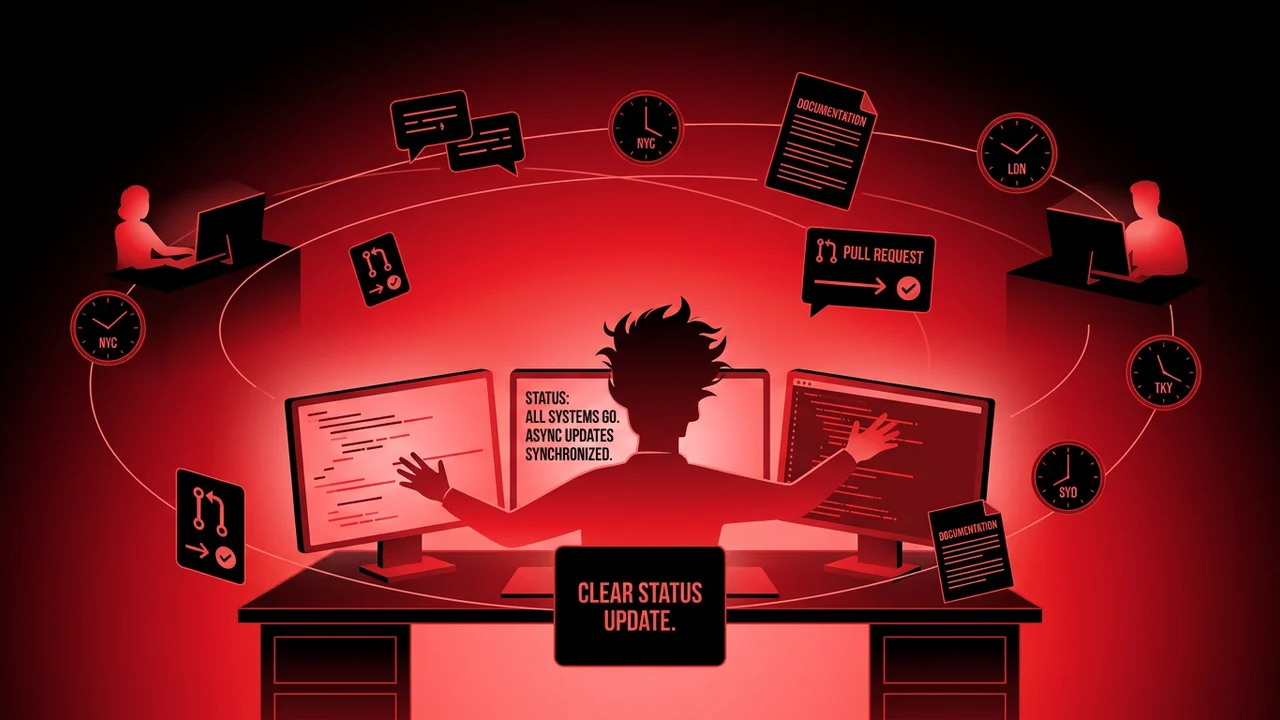
Async standups are especially useful across time zones. A developer in Berlin can leave a clear update before logging off. A developer in Toronto can pick up the blocker several hours later. No one needs to attend a call at a miserable hour just to prove they are working.
Planning meetings can also become partly async. Share the agenda, context, proposals, and open questions before the meeting. Ask people to comment in writing first. Then use the live meeting only for unresolved tradeoffs. A thirty-minute meeting with written prep often beats a ninety-minute meeting where everyone discovers the topic at the same time.
Retrospectives can use the same pattern. Collect written observations before the meeting. Group themes. Vote async if appropriate. Spend live time on the one or two issues that actually need conversation.
The principle is simple: do the information transfer async, then use synchronous time for judgment, conflict, creativity, and commitment.
7. Documentation Is Async Communication With a Longer Shelf Life
Documentation is not separate from communication. Documentation is what communication becomes when it needs to survive longer than a chat thread.
Every engineering team has knowledge that keeps getting re-explained: how to run the app locally, why the billing system has that strange retry rule, how deployments work, what to do when search indexing fails, which feature flags are safe to toggle, who owns which service. If that knowledge only exists in people’s heads, the team pays a tax every week.
Developers often resist documentation because they imagine giant wikis that nobody reads. That is fair. Bad documentation rots. But good async documentation can be small. A runbook. A decision record. A checklist. A diagram with five boxes. A README section that saves the next person forty minutes.
The best time to write documentation is not “later when things calm down.” Later never comes. Write the doc when the pain is fresh. If you just spent two hours figuring out how to seed local data, write the command down. If a production incident revealed a missing runbook step, update the runbook during the post-incident work. If a design decision was debated in Slack, summarize the decision in an ADR before the thread disappears into search hell.
Async documentation also makes onboarding faster. A new engineer should not need twenty meetings to understand the system. People should help them, of course, but human help should be used for judgment and relationship, not repeating setup steps that could have been written once.
There is a career benefit too. Developers who document well become force multipliers. They make teams less dependent on heroics. They reduce repeated questions. They create assets that keep helping people while they are asleep.
8. Choosing Tools and Channels Without Creating Noise
Tools matter, but not as much as habits. Slack, Teams, Linear, Jira, GitHub, GitLab, Notion, Confluence, Google Docs, Loom, and incident tools can all support async communication. They can also all become a swamp.
The important question is not “which tool is best?” The important question is “what kind of information belongs where?”
Chat is good for lightweight coordination and urgent awareness. Tickets are good for work definition and status. Pull requests are good for code-specific review. Docs are good for decisions and durable knowledge. Incident channels are good for real-time coordination during production issues, followed by a written postmortem. Video recordings are useful when text would require too much explanation, especially for UI walkthroughs or complex debugging.
Do not let every tool become every other tool. If a decision is made in chat, move the decision to a doc or ticket. If a requirement is clarified in a meeting, update the ticket. If a reviewer explains an architectural pattern in a PR, consider moving that explanation to a team guide. The source of truth should be obvious.
Notification design matters too. If every channel is urgent, no channel is urgent. Teams should reserve high-interruption channels for real urgency. A production incident is urgent. A naming question in a feature branch is not. A customer data issue is urgent. A request for feedback on next quarter’s linting rules is not.
Healthy async teams protect attention by making urgency explicit. They do not make people guess.
9. The Career Advantage of Being Great at Async Communication
Async communication is not just a team productivity skill. It is a career skill.
As you become more senior, your value depends less on how many tickets you personally close and more on how much clarity you create for other people. Staff engineers write strategy docs. Tech leads write design proposals. Senior developers leave review comments that teach. Engineering managers need concise status signals. Founding engineers turn chaos into a plan people can execute.
The developer who communicates clearly gets trusted with bigger work because they lower management risk. People know what they are doing. They know when something is blocked. They know why a decision was made. That trust compounds.
This matters even more in remote roles. If people cannot see you at a desk, your written work becomes a major part of your professional presence. A clear project update, a thoughtful PR, a well-structured design doc, and a decisive incident summary all say: this person can be trusted with responsibility.
Async communication also helps you avoid the trap of being constantly available. Many developers try to prove value by responding instantly to everything. That feels helpful in the short term, but it trains the team to interrupt you. Seniority requires boundaries. You need to be responsive without being reactive.
The right goal is not “answer everything immediately.” The right goal is “make sure important work never gets stuck because of me.” Those are different standards. One burns you out. The other makes you dependable.
10. A 30-Day Plan to Move Your Team Async-First
You do not need a giant transformation program. You need a few practical defaults that people can follow.
In week one, fix status updates. Pick one channel or tool where updates live. Use the same template every day or every few days: current state, progress, blocker, next step, ask. Make blockers visible and assign owners quickly. Do not let updates become a ritual nobody reads.
In week two, improve pull requests. Add a PR description template. Ask authors to include context, testing, risk, and review focus. Ask reviewers to label comments as blocking, suggestion, question, or nit. Measure whether review cycles get calmer and faster.
In week three, move decisions out of chat. When a technical decision is made, summarize it in a ticket, doc, or architecture decision record. Include the options considered and the reason. This alone can prevent months of repeated debate.
In week four, audit meetings. For each recurring meeting, ask what information transfer could happen before the meeting. Keep the meeting only if live discussion changes the outcome. Cancel meetings that exist mostly because the team has not learned to write.
Keep the rules lightweight. Engineers hate process theater, and they are right to hate it. The goal is not more bureaucracy. The goal is fewer interruptions, faster decisions, and better memory.
If you are an individual contributor, start with your own updates and PRs. You do not need permission to communicate more clearly. If you are a tech lead, model the behavior and praise it when others do it. If you are a manager, protect response norms so async does not become neglect.
Async-first teams are not quiet because nobody cares. They are quiet because people are focused. Then, when they do communicate, the communication actually helps.
11. Final Thought: Fewer Interruptions, Better Software
Software teams do not become high-performing because they install the right chat app. They become high-performing because they respect attention, write decisions down, and stop forcing every problem through a meeting.
Async communication for software engineers is really a discipline of clarity. Write the context. Name the tradeoff. Make the ask. Preserve the decision. Use meetings when they are the best tool, not when writing feels inconvenient.
Do this well and the benefits stack up. Developers get more deep work. Reviews improve. Remote teammates stop feeling like second-class participants. Onboarding gets easier. Managers get better signal. The team moves faster without pretending everyone should be available every minute of the day.
That is the whole game. Not more messages. Better messages. Not fewer conversations. Better-timed conversations. Not isolation. Focus, followed by clarity.